



Building onboarding with a coding agent
Two and a half days, one written plan, and a person who kept the decisions. What the agent built, what it got wrong, and what only looking could catch.
GetIntro gives you one page at getintro.me/yourname. It carries your name, what you do, a QR code and a button that saves you to someone’s contacts. Until this week, the only way to get one was to reserve a name and wait.
Between reserving and having a page, there was nothing. No sign-in, no place to keep a profile, and no way for anyone to hand us their details. Every page that existed had been written by hand.
This post is about closing that gap. A coding agent, Claude, did most of the building over about two and a half days. A person owned the product and made every decision that mattered. Most of what follows is taken from the diary the agent kept as it worked.
The rules the agent worked under
An agent that can write code quickly can also drift quickly. It can invent work, mark things done that are not, or stop halfway and call it finished. So the work ran inside four plain constraints.
A written plan, approved before any code
The plan named the change we wanted: an invited person publishes a page they would actually send to someone, without our help. It also said what would not count as proof. A passing test suite does not count. Neither does a page the owner published themselves.
That distinction mattered all week. Finishing the build means the work shipped. It does not mean anyone can use it, and only watching real invited people can show that.
A checklist the agent could not quietly bend
The plan was broken into numbered checklists, one per piece of work, using a small open-source tool called specloop. Each piece says what it depends on. The agent takes the highest-priority unblocked item, does it, ticks it with evidence and moves on.
The tool recounts every checklist against its summary table on each run. If a tick and the count disagree, it fails. Progress is whatever the checkboxes say, never what the agent remembers.
A diary, written as it went
After each piece of work the agent wrote a diary entry. It recorded what changed, what it found, and any time an instruction conflicted with an earlier decision. Thirty-six entries later, that diary is the main source for this post.
A check that runs when it tries to stop
When the agent tried to end a session, a check looked at whether anything had changed without a diary entry. Early on it caught something more useful. The agent reported itself blocked while two pieces of work were plainly available. The check pointed out the contradiction, and the agent went back and finished them.
The rule it wrote down afterwards still holds. A blocker on one piece of work ends that piece, never the whole run.
What it built
By the end there was a full path from invitation to a live page. Sign-in uses a six-digit code by email, so there is no password to forget. Then two questions: where your page should start from, and how you would like to fill it in.
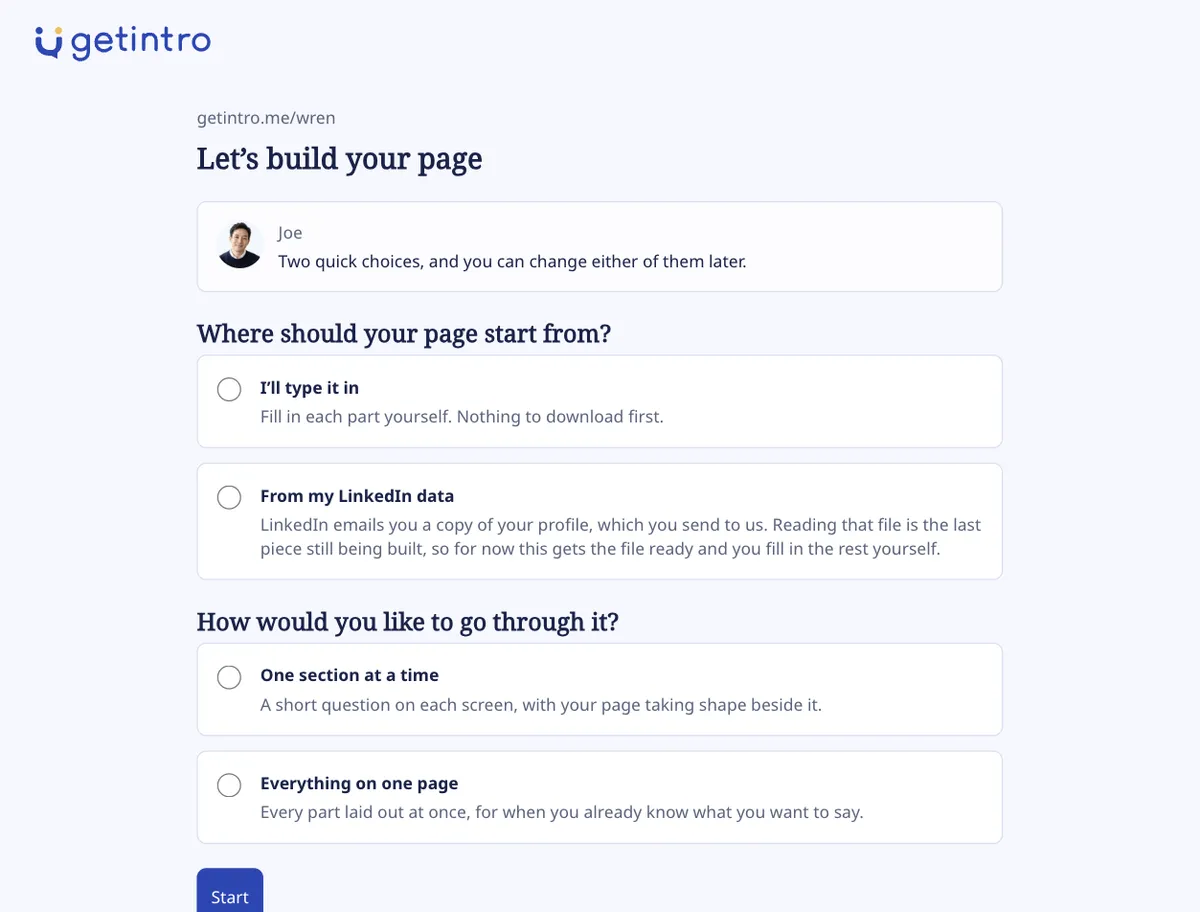
Nothing on that screen is marked as recommended, and a test enforces it. If we nudged people towards one option, we could never learn which one they would have chosen.
The first way to fill in a page is one section at a time. Joe, who writes our emails, asks a short question. The page takes shape beside the form as you type.
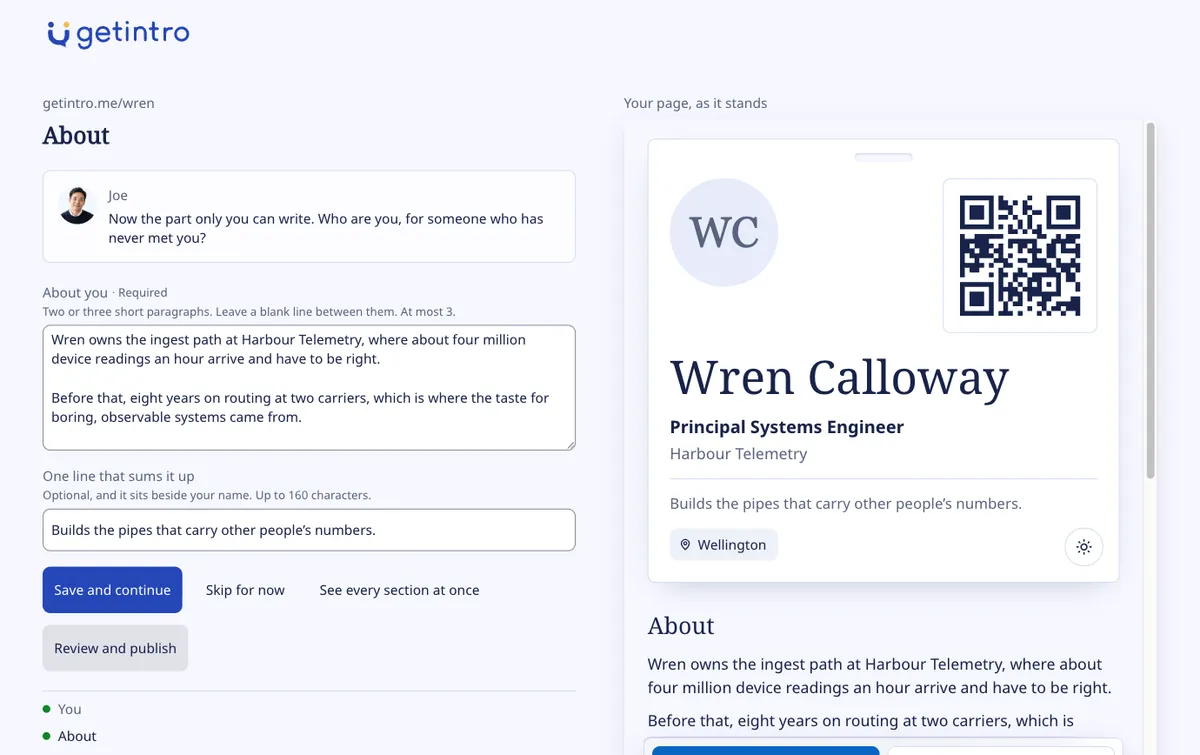
The second way puts every section on one page, for people who already know what they want to say. You can switch between the two at any point without losing anything you typed.
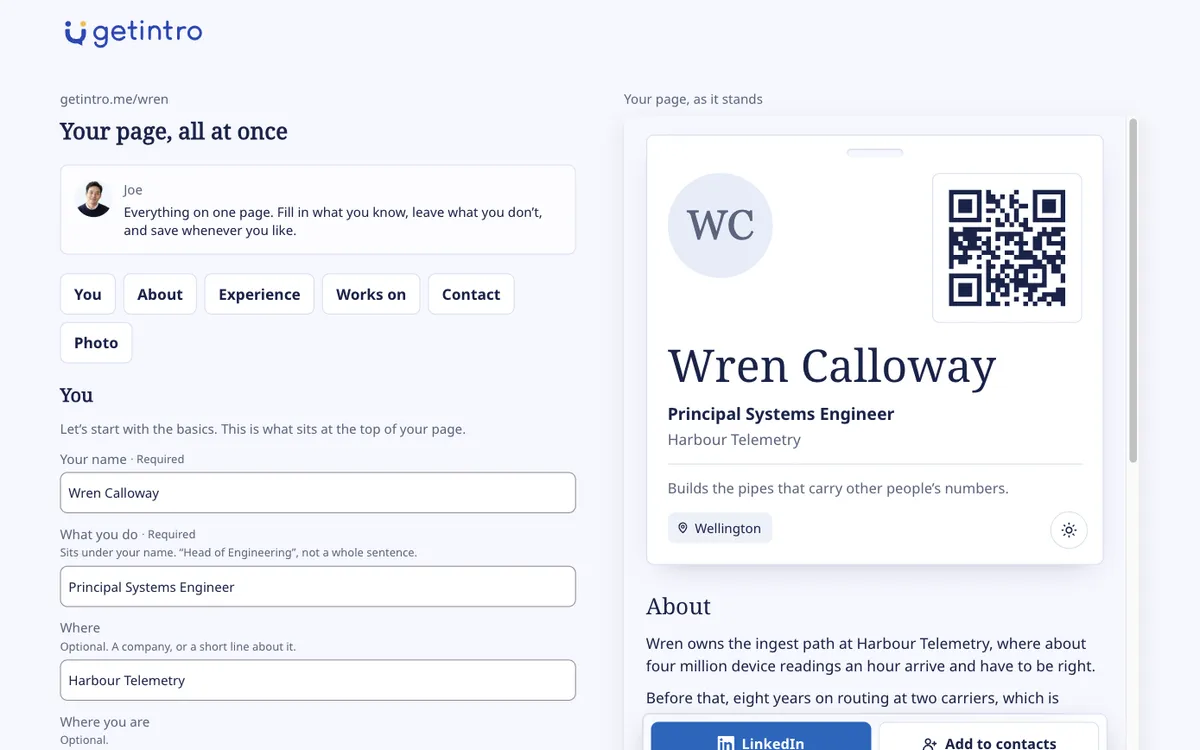
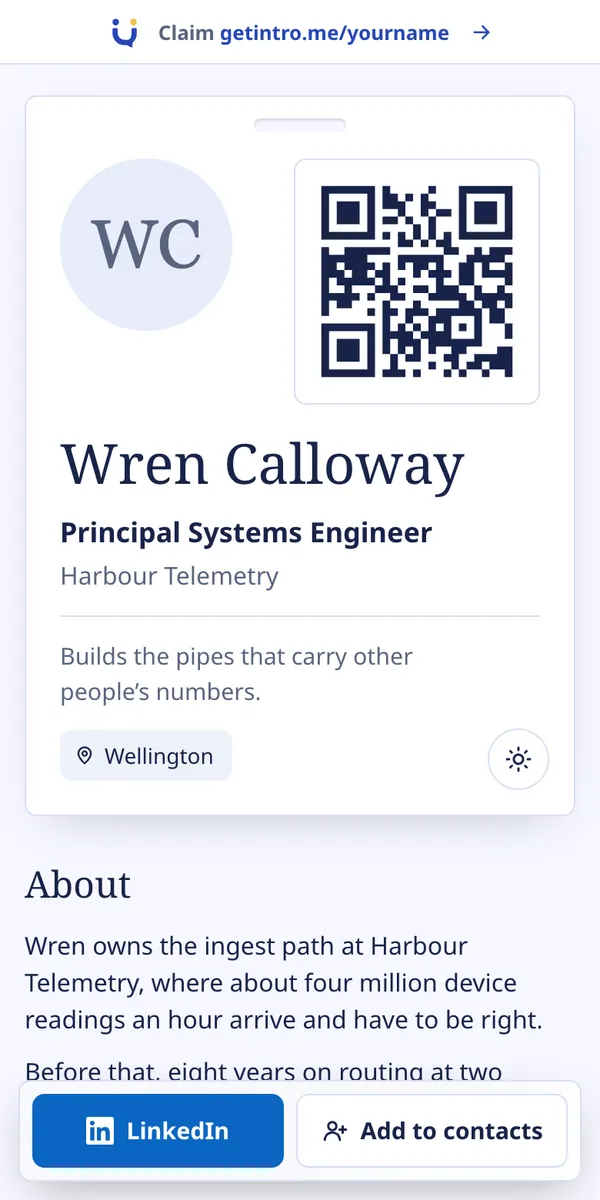
Publishing puts the page live at its own address straight away. It carries the same QR code and contact card as every page we have built by hand.
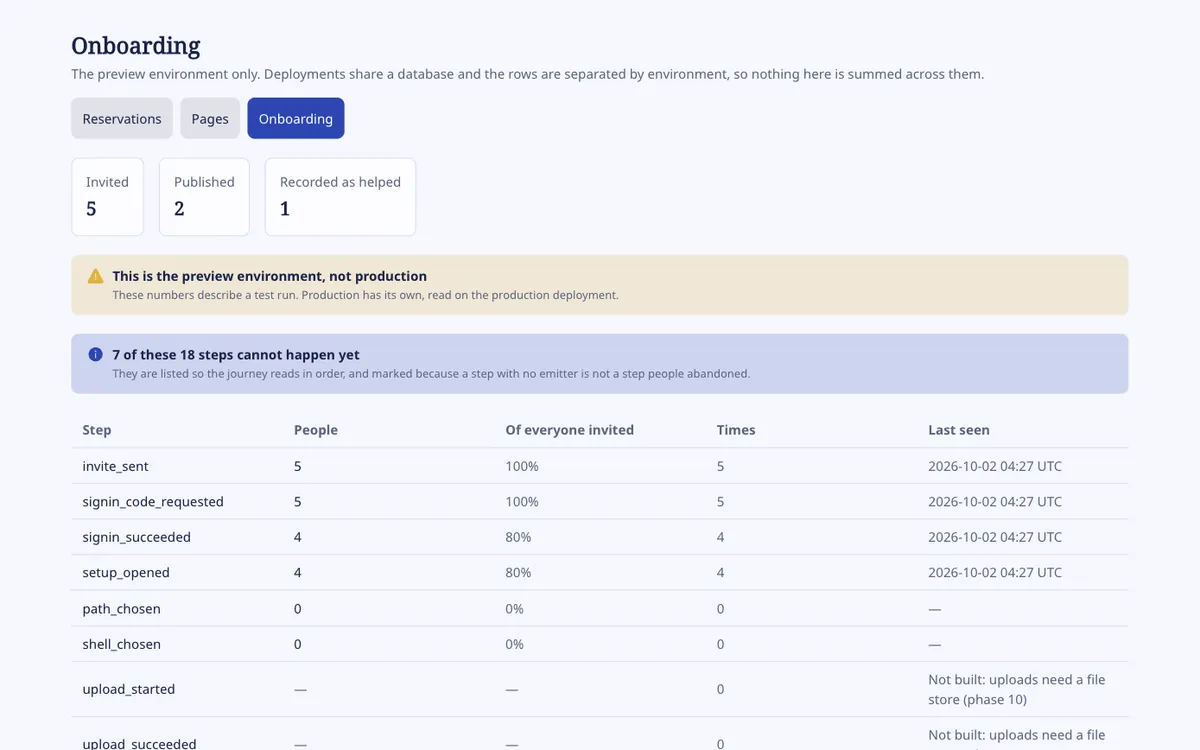
Behind all of this sits a small view for us. It shows how many people reached each step, separately for each environment, so our own test runs never mix with real people.
Looking caught what tests missed
The project has hundreds of automated checks. They were essential, and they still missed a whole class of problem. Several times, a screen passed every test and was wrong the moment someone looked at it.
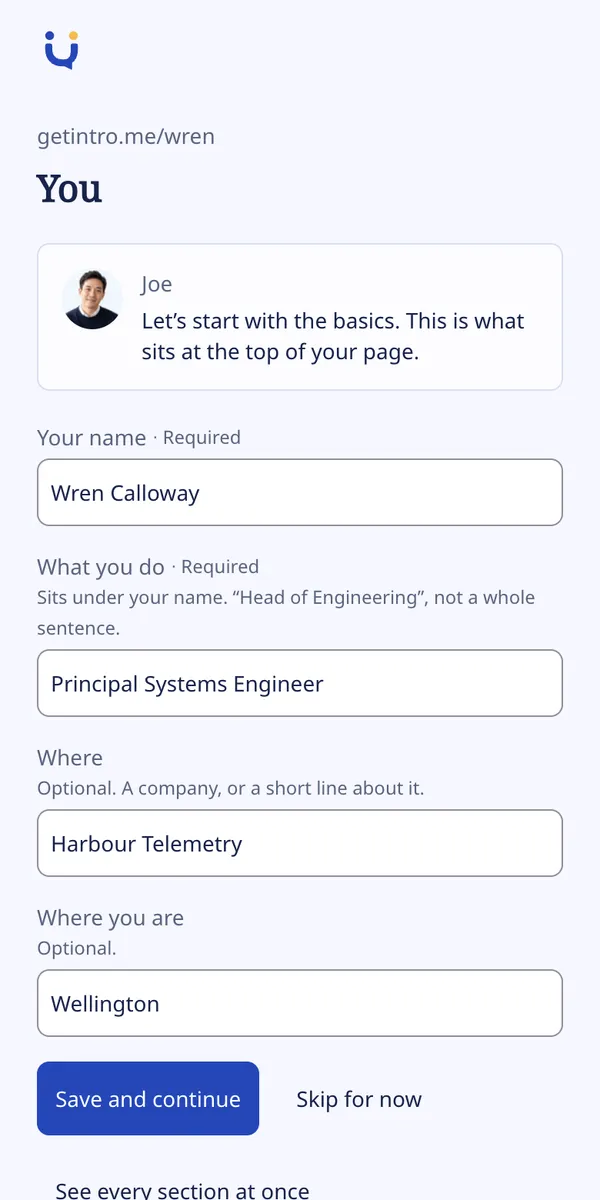
The first time the setup screens were opened on a phone, six problems surfaced at once.
- Every text field was too small to tap reliably.
- The brand fonts were never loaded on the new screens. The rebuilt admin dashboard had been showing a fallback font since it shipped.
- The page preview was unusable at phone width.
- A skipped photo showed as a broken image.
- The preview advertised GetIntro at the person building their own page.
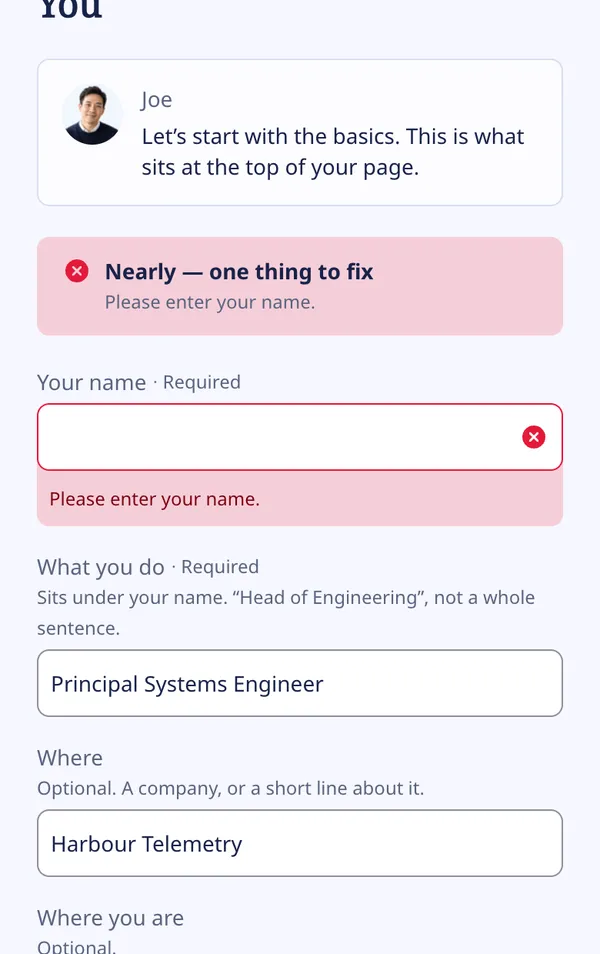
- Errors appeared only in a banner at the top, nowhere near the field.
The admin view had a different kind of miss. Its first version showed one step at 125 percent. The test for it had been matching numbers in the stylesheet, not in the table, so it passed whatever the data said.
The LinkedIn guide had a stranger one. Thirty-three checks passed while its two screenshots showed the opposite of what the words told you to do. No assertion could catch that. Only looking could.
Writing this post caught three more. The guide drew every step number twice. A privacy line read “We never open your home address”, which is untrue, because the address sits inside a file we do open and then discard. And an error message suggested a smaller LinkedIn download that we had already proved makes no difference. All three are fixed, each with a check so they stay fixed.
Real files overturned the plan
The plan described what LinkedIn exports contain. It was written from documentation and reasonable guesses. The owner then supplied real exports from their own account, and almost every guess moved.
A PDF with other people in it
The first PDF was a phone’s print of a LinkedIn profile, not LinkedIn’s own export. Alongside its subject, it carried ten unrelated people’s names under “Other similar profiles”. It also showed private details only the account holder sees.
That changed the design. Sending that text to a language model would send ten strangers’ names along with it. Shaping the model’s answer does nothing about what goes into it, so anything sensitive has to be stripped first. The file itself was never added to the project, because those ten people could not agree to it.
LinkedIn’s own desktop export turned out to contain only its subject. The owner asked for that one to be kept as a test file, and it now runs in every test pass.
The full archive adds nothing we can use
LinkedIn also offers a downloadable archive of everything it holds. The plan assumed the larger version would carry more profile detail. Comparing the two showed the profile files were identical in both.
What the larger one adds is roughly 4,300 other people by name, about 12,500 searches and login records with IP addresses. We never open any of it. The code reads six named files and ignores the rest.
The smaller download is not smaller
LinkedIn’s download page lets you tick only the categories you want. The guide originally told people to tick Profile alone, so they would hand over less. Then we tested it. A Profile-only request returned the whole archive, file for file.
The guide had existed for about an hour, and nobody outside had seen it. It was rewritten to say plainly that LinkedIn sends everything, and to explain exactly what we do with it.
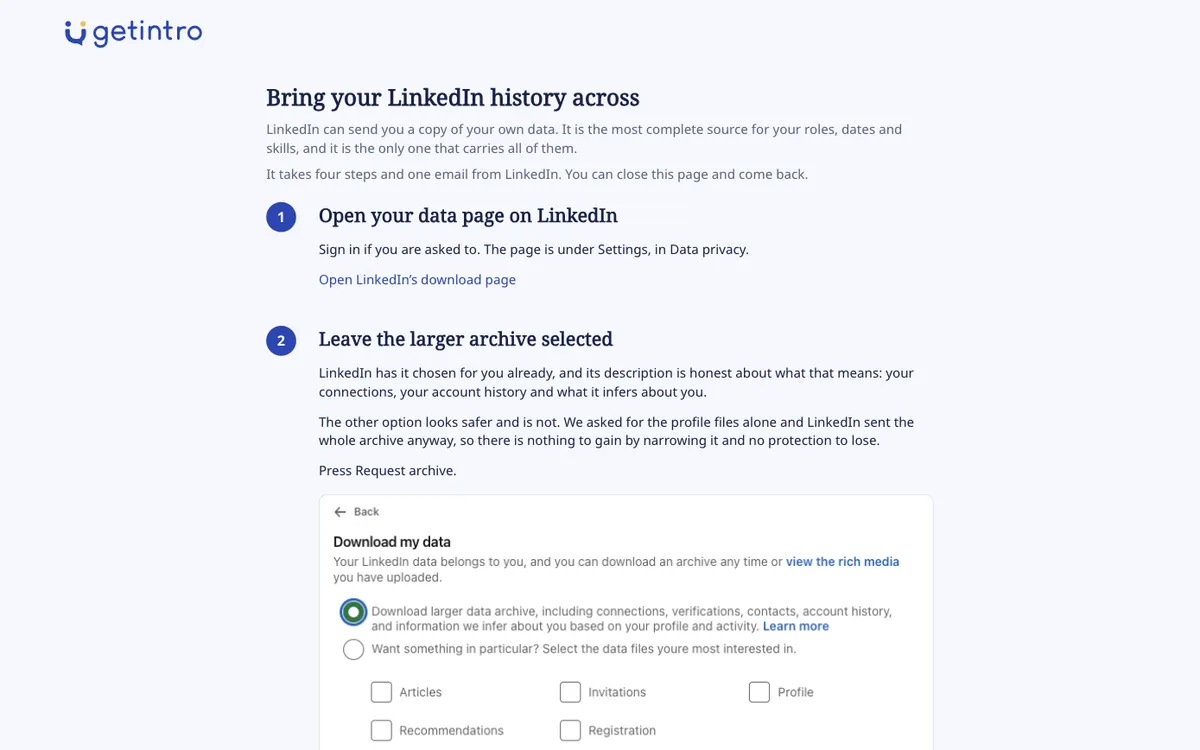
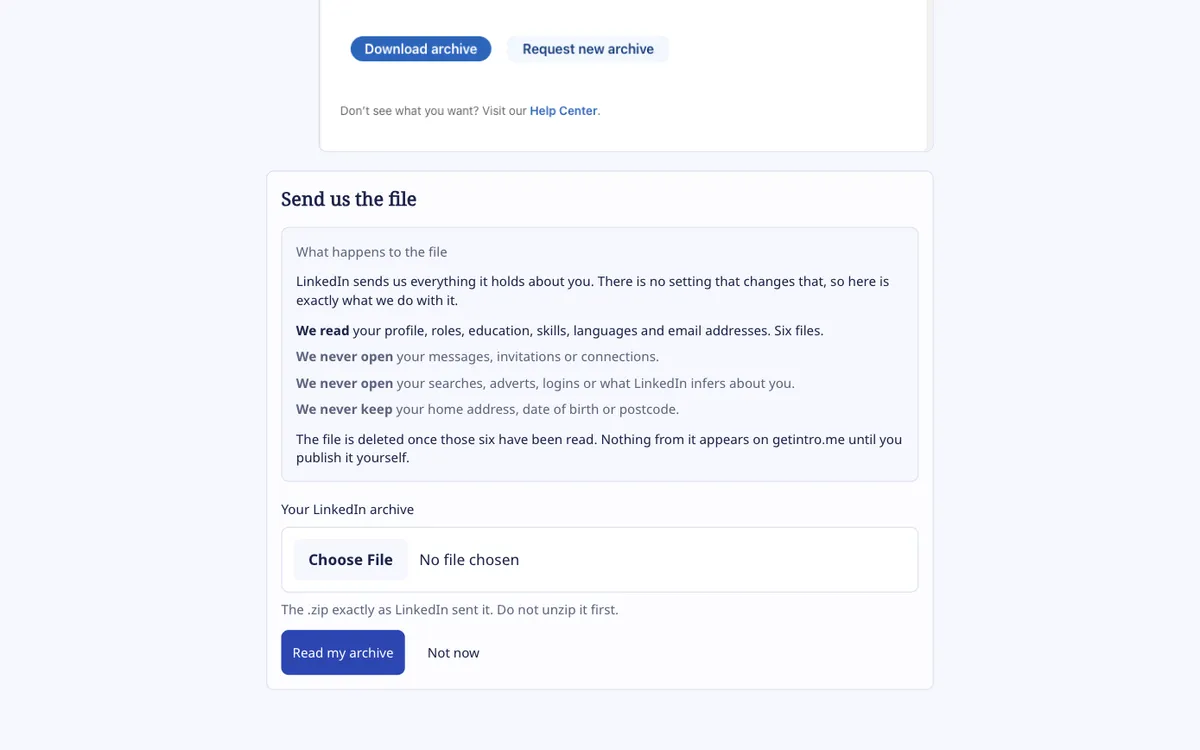
That test had a second consequence. The list of files we refuse to open is now the only protection there is. It is covered by tests that assert messages and connections are never read, and those tests are the whole guarantee.
The upload needed no new machinery
The plan assumed an archive would be too large to send through a normal form. Measured, the real archives were about 1.5 and 2 megabytes, comfortably inside the limit. A plain upload form works, with no extra storage and no script in the browser. The screen still checks size, and tells a very large account its own number.
A second way in found four live bugs
Building the all-on-one-page form meant sending every section through a single form. That forced each section’s real field names and real browser behaviour into the open. Four bugs in already-working code fell out.
- Paragraph breaks were lost. Browsers send line breaks in a form differently from how the tests did. Anyone who wrote two paragraphs about themselves got one.
- People with only an email could not publish. The contact step offered email as a fallback, then the checker rejected it. The test confirmed the fallback was produced, never that saving it succeeded.
- The photo step asked for nothing it used. It declared a field nothing read, while the light-or-dark choice it did read never appeared.
- Every section looked edited. The database stores fields in its own order, so a saved profile never matched one built in code. Unchanged sections would have been marked as hand-written.
That last one mattered more than it sounds. A later LinkedIn import is designed never to overwrite what you wrote yourself. If every section looked hand-written, no import could ever fill anything.
None of the four was found by a test. All four would have reached the first people we invite.
Where the agent was wrong
The diary is frank about the agent’s own mistakes, and they are worth repeating.
- It stopped early. It called the run blocked while work remained. The check that runs on finishing caught it.
- It shipped a screen before the fact it rested on. The LinkedIn guide was built on an untested assumption. The test that would have settled it was already on the list, marked important.
- It wrote tests that checked half a result. The email-only bug survived for days behind a test that never looked at whether the save worked.
- Two agents shared one folder. A second agent working alongside briefly picked up the first one’s files for its own commit. Nothing was lost. Both now commit only the files they name.
One mistake went the other way. The owner asked for the guide to request the full archive. The agent pushed back, because the larger archive added thousands of strangers and no profile data. It held the change until a test could settle it, and the test showed the owner was right for a different reason: there was no smaller option to protect anyone. The guide now asks for everything and says so.
What stayed with a person
Some decisions were never the agent’s to make. Each one stopped the agent at the right point, with the facts laid out, rather than guessed at.
- Spending money. Photo upload, reading LinkedIn files and the conversational way in need paid storage and a language model. Nothing that costs money has been switched on.
- Who gets invited, and what counts as working. How many people, in what order, and what pattern of results would count as success. These must be written down before anyone is invited, or any result can be read as a win.
- What goes into the project. The agent kept the desktop PDF only on the owner’s instruction. It declined to add the archive, because it holds other people’s private conversations.
- What we promise about your data. The privacy wording beside the upload is a public commitment, so the owner confirms it before anyone sees it.
The agent also wrote one gate into the launch checklist on its own. The LinkedIn option either works by the first invitation, or it comes off the first screen. Nobody should wait a day for an archive only to be told we cannot read it yet.
The numbers
| Elapsed time | About two and a half days, not continuous |
|---|---|
| Commits | 44 |
| Diary entries | 36 |
| Planned tasks done | 81 of 101 |
| Automated checks | More than 540, across 17 test runs |
| Bugs in working code found by building or looking, not by tests | At least 15 |
| Real people onboarded | None yet |
The last row is the honest one. Everything above it is about whether the work shipped. Whether it works is a question only invited people can answer.
What happens next
The remaining tasks are blocked for a good reason: they need money spent, and that is a decision for the owner. Once it is made, LinkedIn files can be read, photos uploaded and the conversational way in built.
Before anyone is invited, the round’s size, order and success pattern get written down. Our email setup gets its last checks. Then a small number of people on the waitlist get an invitation, and we watch what happens.
We will write that up too, including if it does not go well.
Keep reading
How a checklist kept a coding agent honest A coding agent built GetIntro’s onboarding in 69 hours, from the first plan to the last commit. This is what the checklist around it did, and what it caught.If you would like a page of your own, the waitlist is open.
Reserve your name